

77
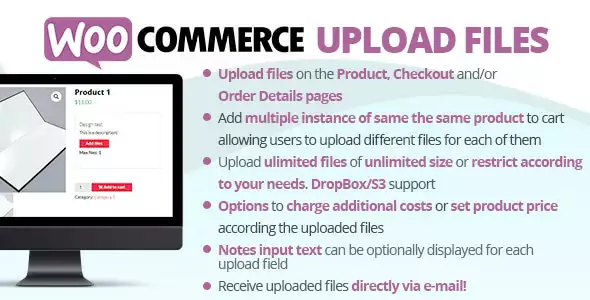
WooCommerce Upload Files
1 ₫
WooCommerce Upload Files is a handy plugin that lets your customers upload files straight to their order. Whether it’s images, documents, or other file types, it’s perfect for businesses that need personalized designs or custom requirements. Easy to use and fully integrated with your WooCommerce store, it makes managing file uploads seamless and efficient.
- Phiên bản : 88.6
- Ngày update :
- License : GPL
WooCommerce Upload Files
WooCommerce Upload Files is an essential plugin designed to enhance the functionality of your WooCommerce store by allowing customers to effortlessly upload files directly to their orders. Whether your business requires personalized designs, custom documentation, or specific client assets, this plugin bridges the gap between customer input and order fulfillment seamlessly. By integrating file uploads into the checkout or product pages, it empowers your customers to submit any necessary images, PDFs, or other file types without hassle, streamlining your workflow and improving communication.
What sets WooCommerce Upload Files apart is its full compatibility with WooCommerce’s ecosystem, ensuring that all uploads are securely linked to individual orders. This makes managing custom orders more efficient for store owners and provides a smooth user experience for buyers. Its intuitive interface requires no coding knowledge, making it accessible for merchants of all technical levels. Whether you run a print shop, custom merchandise store, or any business requiring detailed customer input, WooCommerce Upload Files delivers a reliable, scalable solution to meet your file upload needs.
Key Features
- Seamless Integration with WooCommerce – Allows customers to upload files directly on product or checkout pages, enhancing user experience and simplifying order customization.
- Supports Multiple File Types – Easily accepts images, PDFs, documents, and more, enabling diverse business needs such as personalized products, custom prints, or client documentation.
- Order-Specific File Attachment – Automatically links uploaded files to the relevant order, improving order management and reducing confusion during processing.
- User-Friendly Interface – Simple drag-and-drop or browse-to-upload functionality makes the process straightforward for customers of all technical levels.
- Customizable Upload Fields – Configure upload fields per product or globally to suit different requirements, giving you maximum flexibility.
- File Size and Quantity Limits – Set maximum file sizes and number of uploads to maintain server performance and ensure efficient handling of customer files.
- Secure File Handling – Protects uploaded files with WooCommerce’s built-in security features, safeguarding sensitive customer data.
- Email Notifications – Receive alerts whenever customers upload files, keeping you promptly informed and speeding up order processing.
- Compatible with Popular Themes and Plugins – Works smoothly within various WooCommerce-compatible themes and extensions, ensuring a consistent store experience.
- Responsive Design – Optimized for both desktop and mobile devices, allowing customers to upload files conveniently from any device.
Hãy là người đầu tiên nhận xét “WooCommerce Upload Files”
Sản phẩm tương tự

1 ₫

1 ₫

1 ₫

1 ₫

1 ₫

1 ₫

1 ₫

1 ₫

1 ₫

1 ₫

1 ₫

1 ₫

1 ₫

1 ₫

1 ₫
Đánh giá
Chưa có đánh giá nào.