

52
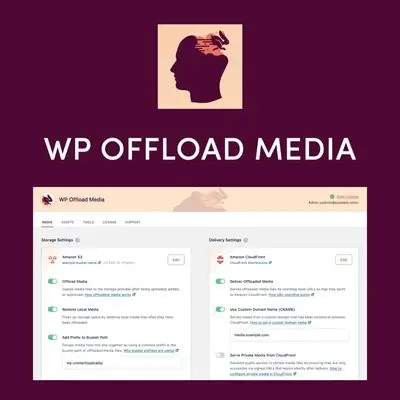
WP Offload Media
1 ₫
WP Offload Media is a handy WordPress plugin that helps you save server space and speed up your site by storing your media files on cloud storage like Amazon S3, DigitalOcean Spaces, or Google Cloud Storage. It automatically uploads your media files to the cloud and serves them from there, reducing load times and improving your website’s performance. Perfect for bloggers and e-commerce sites looking for seamless media management.
- Phiên bản : 3.3.1
- Ngày update :
- License : GPL
WP Offload Media
WP Offload Media is a powerful WordPress plugin designed to effortlessly transfer and store your website’s media files—images, videos, documents, and other assets—to cloud storage providers like Amazon S3, DigitalOcean Spaces, or Google Cloud Storage. By offloading your media from your local server and serving it through a fast Content Delivery Network (CDN) such as Amazon CloudFront, WP Offload Media dramatically speeds up your website’s load time. This not only reduces the strain on your server but also delivers a lightning-fast browsing experience that keeps visitors engaged, boosts SEO rankings, and increases conversions.
What sets WP Offload Media apart is its seamless integration, user-friendly setup, and robust cloud storage management features. It allows you to effortlessly migrate your existing media library with minimal downtime, keep your server storage optimized, and synchronize media across multiple environments or servers—perfect for developers and businesses managing complex WordPress setups. Whether you run a small blog or high-traffic e-commerce store, WP Offload Media ensures your site media is delivered swiftly, reliably, and securely, improving overall performance and customer satisfaction.
Key Features
- Cloud Storage Integration – Seamlessly offload your WordPress media to Amazon S3, DigitalOcean Spaces, or Google Cloud Storage to free up valuable server disk space and improve site scalability.
- CDN Delivery – Serve media and assets through Amazon CloudFront or other CDNs to drastically reduce load times, boost page speed, and enhance user experience across the globe.
- Easy Setup & Migration – Quickly connect WP Offload Media to your cloud storage with simple access key input, and effortlessly offload your entire existing media library in the background with pause and resume capabilities.
- Automatic Local File Removal – Optional feature to delete local copies of media files after offloading them to the cloud, optimizing your server storage and keeping your website lean.
- Versioning Support – Utilize cloud storage versioning to securely backup media files, enabling easy restoration of previous versions or deleted files to prevent accidental data loss.
- Multi-Environment Media Sharing – Configure multiple WordPress environments (development, staging, production) to share a single media library in the cloud, eliminating sync hassles and simplifying workflows.
- Load Balancing Compatible – Perfect for load-balanced WordPress setups, ensuring all servers access the same media files from cloud storage, avoiding discrepancies or missing assets.
- Improved SEO & Conversion Rates – By reducing page load times and bounce rates, WP Offload Media helps improve search engine rankings and keeps visitors engaged, leading to higher sales and customer satisfaction.
- Dashboard Monitoring – Track the progress of media offloading in real-time from an intuitive settings page, with the ability to pause or resume uploads at any time.
- Flexible Configuration Options – Choose to keep local files alongside cloud copies or exclusively use cloud storage, giving you full control over your media management strategy.
Hãy là người đầu tiên nhận xét “WP Offload Media”
Sản phẩm tương tự

1 ₫

1 ₫

1 ₫

1 ₫

1 ₫

1 ₫

1 ₫

1 ₫
1 ₫

1 ₫

1 ₫

1 ₫

1 ₫

1 ₫

1 ₫
Đánh giá
Chưa có đánh giá nào.