

11

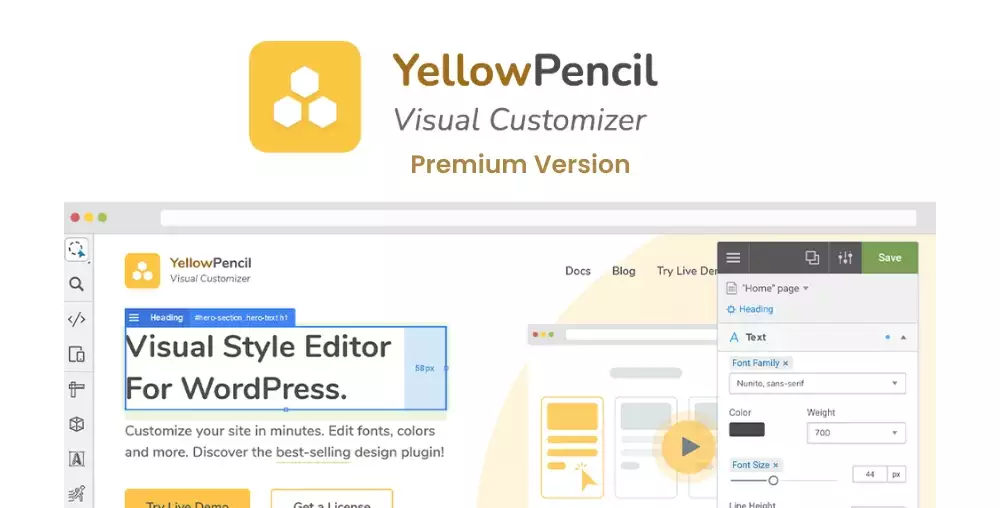
YellowPencil: Visual CSS Style Editor
1 ₫
YellowPencil: Visual CSS Style Editor is your go-to tool for customizing your website without needing to dive into code. With its user-friendly drag-and-drop interface, you can effortlessly tweak fonts, colors, and layouts in real-time. It’s perfect for both beginners wanting easy customization and pros seeking powerful design options. Transform your site’s look with just a few clicks!
- Phiên bản : 7.6.7
- Ngày update :
- License : GPL
YellowPencil: Visual CSS Style Editor
YellowPencil: Visual CSS Style Editor is a powerful and intuitive design tool that revolutionizes the way you customize your website’s appearance. Designed for both beginners and professional developers, it eliminates the need to manually write CSS code by providing a user-friendly drag-and-drop interface. Whether you want to adjust fonts, tweak colors, modify layouts, or animate elements, YellowPencil makes the entire process seamless and visually engaging. This interactive editor allows you to see your changes in real-time, which dramatically speeds up design workflows and enhances creativity without compromising on precision.
What sets YellowPencil apart is its comprehensive approach to CSS editing with live previews and an extensive set of styling options, all accessible directly from your website interface. It integrates smoothly with any website or theme, making it an invaluable tool for anyone looking to improve site aesthetics quickly and efficiently. From adjusting margins and padding to customizing backgrounds and borders, YellowPencil empowers you to craft a unique and fully branded web presence without touching any code. Its adaptability and ease of use make it a top choice on CodeCanyon for website owners seeking an effortless yet robust design solution.
Key Features
- Visual Drag-and-Drop Interface for Real-Time Design Changes — customize your site effortlessly without writing a single line of code.
- Wide Range of Styling Options — tweak fonts, colors, backgrounds, borders, shadows, and more to match your brand identity perfectly.
- Live CSS Code Output — view and export the generated CSS code, offering transparency and control for advanced users.
- Responsive Design Control — customize how your site looks on desktops, tablets, and smartphones to ensure a flawless mobile experience.
- Advanced Selector Support — easily target any HTML element, class, or ID with precision to style exactly what you want.
- Over 60 Animation Effects — add engaging motion to your page elements to captivate visitors and improve user experience.
- Undo/Redo and History Management — experiment freely with your designs knowing changes can be easily reversed.
- Point-and-Click Editing — select any element on your website directly and start customizing immediately.
- Cross-Browser Compatibility — ensures your styles look consistent across all modern web browsers.
- Compatible with Any CMS or Website — works seamlessly with WordPress, Joomla, Drupal, and custom HTML sites alike.
- Multiple Color Pickers and Typography Options — refine your visual style with pixel-perfect color choices and flexible font settings.
- SEO-Friendly and Lightweight Code — maintain your website’s performance and search engine rankings while enhancing style.
Hãy là người đầu tiên nhận xét “YellowPencil: Visual CSS Style Editor”
Sản phẩm tương tự

1 ₫

1 ₫

1 ₫

1 ₫

1 ₫

1 ₫

1 ₫

1 ₫

1 ₫

1 ₫

1 ₫

1 ₫

1 ₫
1 ₫

1 ₫
Đánh giá
Chưa có đánh giá nào.