

181

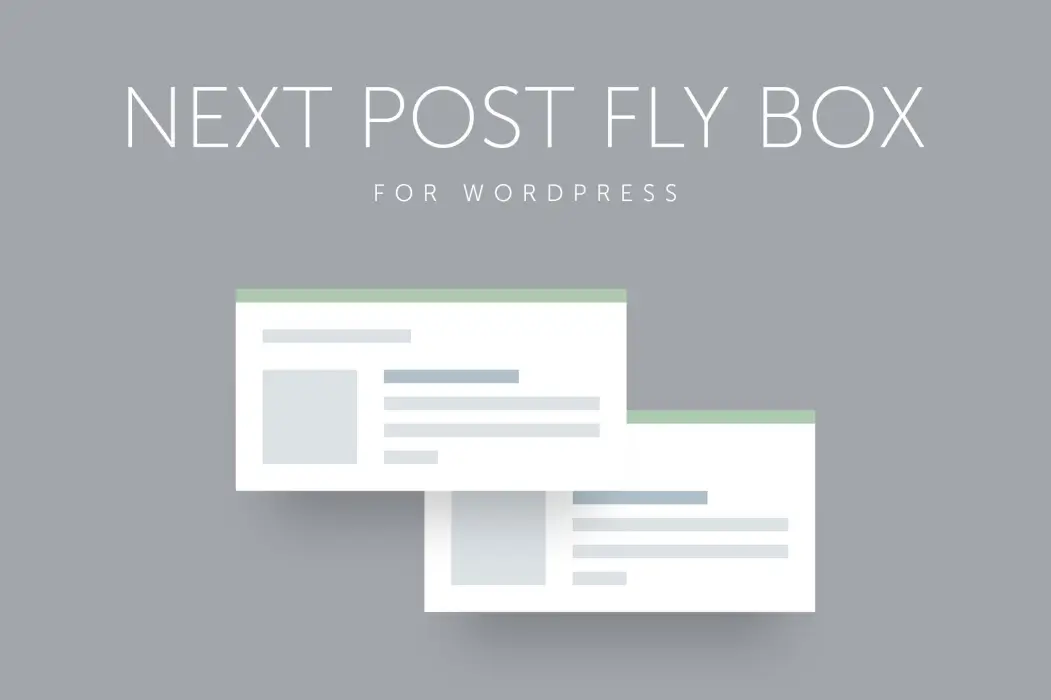
Next Post Fly Box for WordPress
1 ₫
The Next Post Fly Box for WordPress is a nifty plugin that enhances user engagement on your blog by smoothly sliding in related posts as readers reach the bottom of a page. It’s super easy to use and customize, making it perfect for keeping your audience hooked while seamlessly navigating through your content. Ideal for boosting page views and improving user experience.
- Phiên bản : 3.6
- Ngày update :
- License : GPL
Next Post Fly Box for WordPress
Next Post Fly Box for WordPress is an innovative and lightweight plugin designed to enhance user navigation on your WordPress website by displaying sleek floating boxes showcasing the next and previous blog posts. Ideal for content-rich sites like blogs, news portals, and magazines, this tool keeps visitors engaged by providing intuitive, visually appealing navigation prompts that encourage deeper exploration of your content. What sets Next Post Fly Box apart is its smooth floating design combined with rich customization options that seamlessly blend with any website style, improving user experience without compromising site performance.
Built for flexibility and ease of use, Next Post Fly Box supports custom post types and post categories, allowing you to tailor the navigation experience to fit your unique content structure. Its Ajax-powered admin interface offers extensive settings, enabling you to control everything from sorting criteria and content displayed within the box, to animations and positioning. This plugin not only boosts page views and session duration but also helps reduce bounce rates by guiding readers effortlessly through relevant posts. With retina-ready responsiveness and compatibility with the latest WordPress versions, Next Post Fly Box is an essential tool for blogs and websites aiming to maximize reader retention and engagement.
Key Features
- Next and Previous Floating Box Display – Engage visitors with sleek, always-visible navigation boxes that make browsing your blog posts effortless.
- Support for Custom Post Types and Categories – Customize navigation to work perfectly with your unique content structure for targeted user journeys.
- Extensive Ajax-Based Admin Panel – Easily configure numerous options and instantly preview changes without page reloads, streamlining your workflow.
- Flexible Sorting Options – Choose how posts appear in the fly box by selecting sorting fields and direction, ensuring the most relevant content is promoted.
- Customizable Box Content – Control displayed elements such as featured images, post titles, excerpts, and include a close button for optimal user control.
- Dimension and Position Control – Adjust box width, position on the screen, and featured image size to perfectly integrate with your site design.
- Advanced Animation Settings – Select from various animation methods, speeds, and easing types for both opening and closing actions to create smooth transitions.
- Selective Display Settings – Enable fly boxes only on chosen categories or specific posts, giving you complete control over where navigation appears.
- Separate Options for Next and Previous Boxes – Tailor settings individually for each navigation box to cater to different design or content needs.
- jQuery Powered and Responsive Design – Ensures smooth performance and consistent appearance across all devices, including retina displays.
- Comprehensive Documentation Included – Get up and running quickly with detailed guides and support materials.
- Tested Compatibility – Compatible with WordPress versions up to 4.9 and beyond, ensuring reliable operation on modern installations.
Hãy là người đầu tiên nhận xét “Next Post Fly Box for WordPress”
Sản phẩm tương tự

1 ₫

1 ₫

1 ₫

1 ₫

1 ₫

1 ₫

1 ₫
1 ₫

1 ₫

1 ₫

1 ₫

1 ₫

1 ₫
1 ₫
1 ₫
Đánh giá
Chưa có đánh giá nào.