

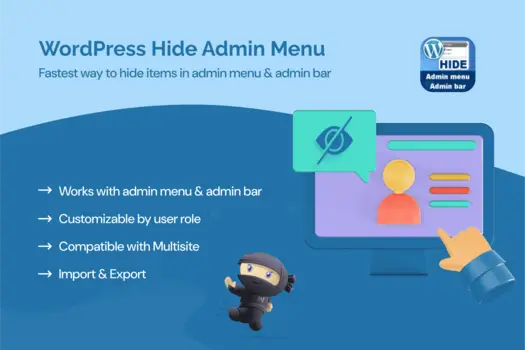
WordPress Hide Admin Menu Plugin
1 ₫
The WordPress Hide Admin Menu Plugin is a user-friendly tool that allows you to customize the admin menu of your WordPress site. With just a few clicks, you can hide specific menu items for different user roles, ensuring a cleaner and more focused dashboard experience. Perfect for streamlining navigation and improving user management, this plugin is a must-have for site administrators looking to enhance usability.
- Phiên bản : 3.1.0
- Ngày update :
- License : GPL
Danh mục: Plugin Wordpress
Thẻ: WordPress Hide Admin Menu Plugin
WordPress Hide Admin Menu Plugin
The WordPress Hide Admin Menu Plugin is a powerful yet intuitive solution designed to give WordPress site administrators complete control over their dashboard menus. By enabling you to selectively hide specific admin menu items based on user roles, this plugin streamlines the backend experience, reducing clutter and helping users focus on what’s important. Whether you manage a large multi-user site or a simpler blog, this tool enhances usability by tailoring the admin interface to each user’s needs, improving overall efficiency.
What sets the WordPress Hide Admin Menu Plugin apart is its ease of use combined with granular customization options. Without any coding knowledge, you can quickly configure which menus are visible to administrators, editors, authors, contributors, or subscribers. This ensures sensitive options remain out of reach for lower-level users, reinforcing security while maintaining a clean and professional dashboard. Ideal for teams, client sites, or membership platforms, this plugin promotes better user management and a frictionless workflow.
Key Features
- Role-Based Menu Visibility: Hide specific admin menu items for different user roles to tailor dashboard access and improve navigation efficiency.
- Easy-to-Use Interface: Configure menu visibility through a simple and user-friendly settings panel, requiring no coding skills.
- Improved Dashboard Focus: Remove unnecessary or distracting menu items, allowing users to concentrate on relevant tasks and content.
- Enhanced Security: Restrict access to sensitive admin options by hiding menus from unauthorized users, reducing accidental or malicious changes.
- Compatibility with Most Themes and Plugins: Seamlessly integrates with a wide range of WordPress themes and plugins without conflicts.
- Quick Activation and Setup: Start customizing your admin menus immediately after installation with straightforward options.
- Lightweight and Performance Optimized: Minimal impact on your site’s loading speed, ensuring a smooth backend experience.
- Supports Multi-Site Networks: Manage menu visibility across different sites and user roles within a WordPress multi-site environment.
Hãy là người đầu tiên nhận xét “WordPress Hide Admin Menu Plugin” Hủy
Sản phẩm tương tự
1 ₫
1 ₫

1 ₫

1 ₫

1 ₫

1 ₫

1 ₫

1 ₫

1 ₫

1 ₫

1 ₫

1 ₫

1 ₫

1 ₫

1 ₫
Đánh giá
Chưa có đánh giá nào.